Business & Tech Essentials
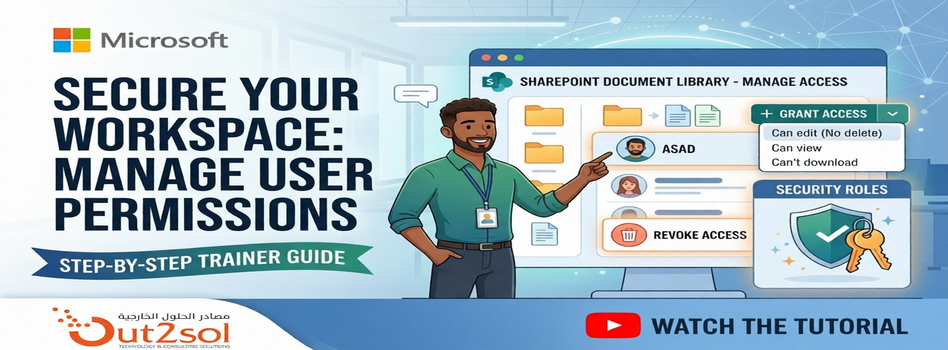
How to Manage User Permissions in a SharePoint Document Library
Today we will learn how to manage user permissions for files and folders inside a SharePoint document library. This is a simple but very important feature that helps you control who can view, edit, or download your documents.
Whether you are organizing a project for a specific department or protecting sensitive company data, understanding the "Manage Access" panel is a fundamental skill.
If your organization needs help with access control, governance, or document management, Our SharePoint Service Provider can simplify your setup and improve security.
Watch Our Tutorial
For a visual walkthrough of these steps, check out our tutorial video on manage access:
Steps to Manage Access in SharePoint
Step 1 Navigate to Document Library
- Go to your application and open the document library
- Click See all to view files and folders
Step 2 Open Manage Access
- Right click on the file or folder
- Select Manage access
Step 3 Grant Access
- Click Grant access
- Add the user
Choose permission level:
- Can edit → User can edit files
- Can view → User can view and download
- Can’t download → View only access
Click Grant access to apply
Step 4 Remove Access
- Go to Direct access list
- Select the user
- Choose No direct access
- Click Remove
Step 5 Advanced Permission Control (Optional)
For more control:
- Open Advanced settings
- Stop permission inheritance
- Assign unique permissions to specific users
This is useful for restricting sensitive folders.
Pro-Tip: Breaking Inheritance
For those looking for granular control, you can use the Advanced Settings within the Manage Access panel to "Stop Inheriting Permissions." This allows a specific folder to have completely different rules than the rest of the library—perfect for private HR or Finance folders.
Final Notes
So today we learned how to manage user permissions in SharePoint document libraries, including granting, updating, and removing access.
Stay secure and keep collaborating! If you have any questions, the team at Out2Sol Global is always here to help you optimize your Microsoft ecosystem.
See you next time with another Microsoft topic.
Disclaimer: All logos, trademarks, and brand names used in this document are the property of their respective owners. Their use here is for identification purposes only and does not imply endorsement.
Recent News
Add Location on Cost Centre Dimension
11-05-2026
%20-%20Aramco%20SACS%20002%20Assessment%20in%20Depth.webp)
Cybersecurity Compliance Roadmap (CCC) - Aramco SACS 002 Assessment in Depth
11-05-2026
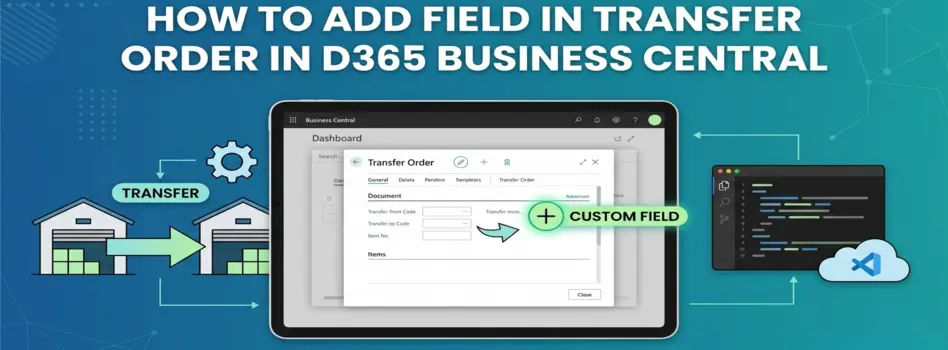
How to Add Field in Transfer Order in D365 Business Central
08-05-2026
Cybersecurity Compliance Roadmap (CCC) – Aramco SACS-002 in Brief
04-05-2026

Saudi Arabia's NCA Cybersecurity Guidelines
27-04-2026
How to Set G/L Account as Default Line Type in Dynamics 365 Business Central
26-04-2026
How to Set Default Dimensions for GL Accounts in D365 Business Central
21-04-2026

Microsoft Copilot in Depth: Features, Use Cases, and Business Impact (2026)
19-04-2026

Steps to Manage Data Source Permissions for APIs in Power BI Desktop and Service
19-04-2026

Sending Alerts Using Power Automate in SharePoint (Step-by-Step Guide)
13-04-2026

Your choice regarding cookies on this site
Policy, By Continuing, You are agreeing to Our Terms of Use and Consenting to the above.
Privacy Policy Powered By |