Business & Tech Essentials
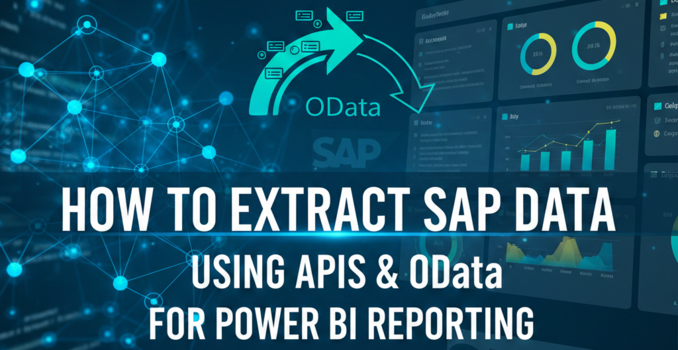
How to Extract SAP Data Using APIs and OData for Power BI Reporting
Welcome to our next technical session focused on SAP data integration. In today’s data-driven environment, organizations rely heavily on accurate and timely reporting. SAP systems store critical business data, but extracting that data for analytics platforms like Power BI often raises questions around performance, security, and flexibility.
In this lesson, we explain SAP data source extraction using APIs and data connectors, with a practical focus on how SAP data can be pulled into Power BI. This guide is written for data analysts, BI developers, integration engineers, and system administrators who want to understand real-world SAP data extraction options without unnecessary complexity.
Need Expert Help?
Our Power BI integration services team helps connect SAP data using APIs and OData securely.
We will walk through two commonly used methods, explain how each works, and help you decide which approach fits your reporting and automation needs.
Objective of SAP Data Extraction
The main objective of SAP data extraction is to move business data from SAP systems into analytics or reporting platforms in a controlled and reliable way.
This blog covers:
-
SAP data extraction source options using APIs
-
OData-based data connectors
-
Real-time and automated data access
-
Practical considerations for Power BI integration
Watch the Complete SAP Data Extraction Video
Method 1: SAP OData Services for Data Extraction
How SAP OData Services Work
SAP OData services use the Open Data Protocol to expose SAP data in a standardized web format. These services allow external tools such as Power BI to consume SAP data directly through a secure URL.
Once an OData service is enabled and published in SAP, it becomes accessible through a web endpoint. Power BI can then connect to this endpoint and retrieve the exposed dataset.
Steps to Extract SAP Data Using OData
• Enable OData services in the SAP system
• Publish the required dataset as an OData service
• Open Power BI and select Get Data
• Choose OData Feed
• Enter the OData service URL
• Load and visualize the data
Advantages of Using OData Services
• Supports near real-time data retrieval
• Easy integration with Power BI
• No complex middleware required
• Well-suited for operational dashboards
Limitations of OData Extraction
• Access limited to exposed SAP objects
• Performance depends on service design
• Large datasets may require optimization

Method 2: SAP APIs for Data Extraction
How SAP APIs Work
SAP provides REST-based APIs and RFC-enabled function modules that allow external systems to fetch SAP data programmatically. These APIs are commonly documented in the SAP API Hub and can be consumed using development tools or integration platforms.
This method is often used when organizations require advanced logic, automation, or custom transformations before data reaches Power BI.
Steps to Extract SAP Data Using APIs
• Identify the required SAP API from SAP API Hub
• Authenticate using SAP security credentials
• Fetch data using Python, Azure Data Factory, or Power BI Web connector
• Transform the data as needed
• Load and visualize in Power BI
Advantages of SAP API Integration
• Flexible data extraction options
• Supports automation and scheduled refresh
• Enables complex business logic
• Suitable for enterprise-scale reporting
Limitations of SAP API Usage
• Requires development knowledge
• API setup and testing needed
• Security configuration must be managed carefully
OData vs SAP API: Quick Comparison
|
Aspect |
OData Services |
SAP APIs |
|
Setup Complexity |
Low |
Medium to High |
|
Real-Time Access |
Yes |
Yes |
|
Custom Logic |
Limited |
High |
|
Automation |
Basic |
Advanced |
|
Best Use Case |
Reporting dashboards |
Enterprise integrations |
Choosing the Right SAP Data Extraction Method
The right method depends on your reporting goals.
If you need:
-
Quick reporting
-
Minimal development
-
Direct Power BI connection
OData services are usually sufficient.
If you need:
-
Advanced automation
-
Complex transformations
-
Large-scale integrations
SAP APIs provide better control and scalability.
Best Practices for SAP Data Extraction
-
Limit data volume at the source
-
Use proper authentication and role-based access
-
Monitor performance of extraction services
-
Schedule refresh wisely to avoid system load
-
Validate data consistency after extraction
Final Notes
SAP data extraction is not just a technical task. It directly affects reporting accuracy, system performance, and business decision-making. Understanding the difference between OData services and SAP APIs helps teams build reliable and scalable reporting pipelines.
With the right extraction method, SAP data can be transformed into meaningful insights inside Power BI without disrupting core SAP operations.
Disclaimer: All logos, trademarks, and brand names used in this document are the property of their respective owners. Their use here is for identification purposes only and does not imply endorsement.
Recent News

Add Location on Cost Centre Dimension
11-05-2026
%20-%20Aramco%20SACS%20002%20Assessment%20in%20Depth.webp)
Cybersecurity Compliance Roadmap (CCC) - Aramco SACS 002 Assessment in Depth
11-05-2026
How to Add Field in Transfer Order in D365 Business Central
08-05-2026

Cybersecurity Compliance Roadmap (CCC) – Aramco SACS-002 in Brief
04-05-2026

Saudi Arabia's NCA Cybersecurity Guidelines
27-04-2026

How to Set G/L Account as Default Line Type in Dynamics 365 Business Central
26-04-2026
How to Set Default Dimensions for GL Accounts in D365 Business Central
21-04-2026

Microsoft Copilot in Depth: Features, Use Cases, and Business Impact (2026)
19-04-2026

Steps to Manage Data Source Permissions for APIs in Power BI Desktop and Service
19-04-2026

Sending Alerts Using Power Automate in SharePoint (Step-by-Step Guide)
13-04-2026

Your choice regarding cookies on this site
Policy, By Continuing, You are agreeing to Our Terms of Use and Consenting to the above.
Privacy Policy Powered By |