Business & Tech Essentials
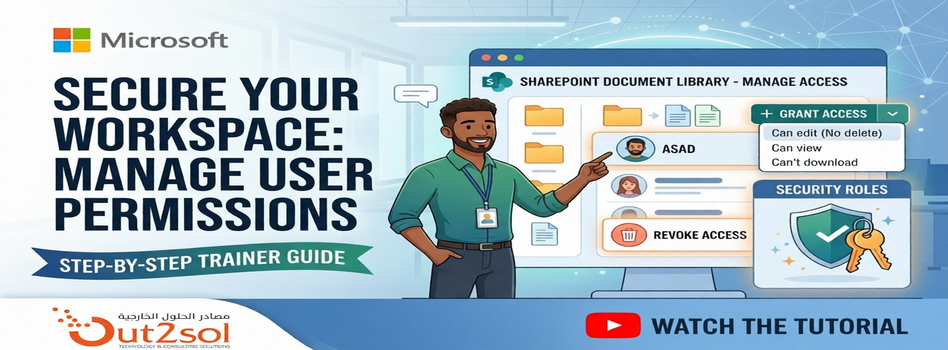
How to Manage User Permissions in a SharePoint Document Library
Today we will learn how to manage user permissions for files and folders inside a SharePoint document library. This is a simple but very important feature that helps you control who can view, edit, or download your documents.
Whether you are organizing a project for a specific department or protecting sensitive company data, understanding the "Manage Access" panel is a fundamental skill.
If your organization needs help with access control, governance, or document management, Our SharePoint Service Provider can simplify your setup and improve security.
Watch Our Tutorial
For a visual walkthrough of these steps, check out our tutorial video on manage access:
Steps to Manage Access in SharePoint
Step 1 Navigate to Document Library
- Go to your application and open the document library
- Click See all to view files and folders
Step 2 Open Manage Access
- Right click on the file or folder
- Select Manage access
Step 3 Grant Access
- Click Grant access
- Add the user
Choose permission level:
- Can edit → User can edit files
- Can view → User can view and download
- Can’t download → View only access
Click Grant access to apply
Step 4 Remove Access
- Go to Direct access list
- Select the user
- Choose No direct access
- Click Remove
Step 5 Advanced Permission Control (Optional)
For more control:
- Open Advanced settings
- Stop permission inheritance
- Assign unique permissions to specific users
This is useful for restricting sensitive folders.
Pro-Tip: Breaking Inheritance
For those looking for granular control, you can use the Advanced Settings within the Manage Access panel to "Stop Inheriting Permissions." This allows a specific folder to have completely different rules than the rest of the library—perfect for private HR or Finance folders.
Final Notes
So today we learned how to manage user permissions in SharePoint document libraries, including granting, updating, and removing access.
Stay secure and keep collaborating! If you have any questions, the team at Out2Sol Global is always here to help you optimize your Microsoft ecosystem.
See you next time with another Microsoft topic.
Recent News
Microsoft Power BI Gateway: A Professional Guide
16-03-2026

Benchmarking Discount Voucher Practices: 2026 Industry Guide
16-03-2026

Importance of Trademarking Your Logo (How to Start Today)
07-03-2026
Set Up Default Account Numbers for BC Sales Invoices
02-03-2026

Saudi PDPL Enforcement Updates & Data Privacy Guidelines
23-02-2026

How to Create a Timeline in Power BI
14-02-2026

Cyber Security Awareness and Compliance Guide for Organizations
07-02-2026
Microsoft PBVIZ Files: How to Import and Use Custom Power BI Visuals
21-01-2026

How to Extract SAP Data Using APIs and OData for Power BI Reporting
13-01-2026

About Loyalty Program and 6 Proven Strategies for Long-Term Growth in 2026
07-01-2026

Your choice regarding cookies on this site
Policy, By Continuing, You are agreeing to Our Terms of Use and Consenting to the above.
Privacy Policy Powered By |